> For the complete documentation index, see [llms.txt](https://docs.coresignal.com/llms.txt). Markdown versions of documentation pages are available by appending `.md` to page URLs; this page is available as [Markdown](https://docs.coresignal.com/self-service/features-and-tools/company-enricher.md).
# Company Enricher
Enrich lead lists with fresh company data. Upload a CSV and instantly append up-to-date firmographics using Coresignal's no-code tool.
Turning a list of company emails or website URLs into actionable insights starts with enrichment. Coresignal’s Company Enrichment tool helps you do just that – enhancing your data with key firmographic details so you can prioritize the right leads.
Use our self-service platform to enrich your data with regularly updated details like industry and employee count, so you can focus where they’re most likely to convert.
## Making an enrichment search
{% stepper %}
{% step %}
### Start the enrichment flow
You will see a button inviting you to `Upload CSV file`. Press it to start the enrichment process:

{% endstep %}
{% step %}
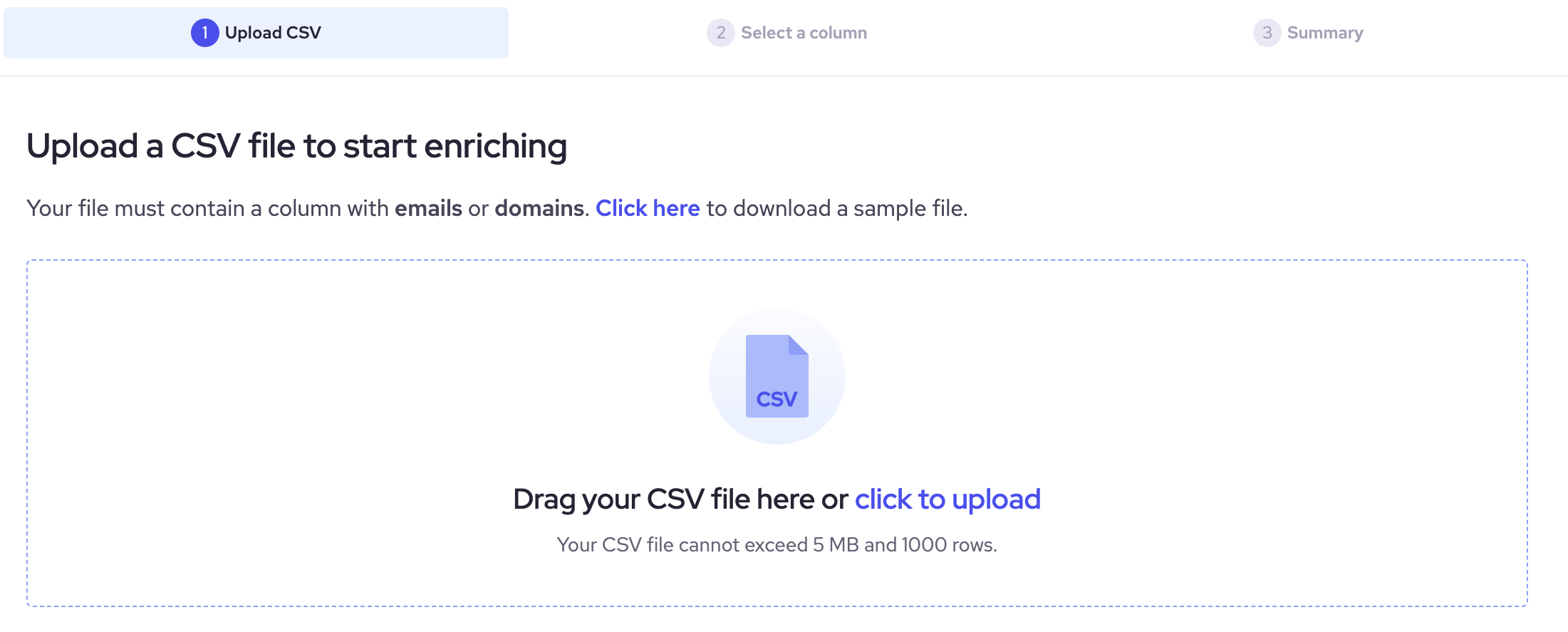
### Upload your CSV file
Upload a CSV file by dragging it to the self-service or clicking the link provided. Your file must contain less than 1,000 rows and include `email addresses` of leads you want to qualify or `domains` of companies that interest you.
{% endstep %}
{% step %}
### Select a column
Once you have uploaded the file, you should select which column you want to use for enrichment: `Domain` or `Email`, and press the `Continue` button:

{% endstep %}
{% step %}
### Review your order
Next, you will see a summary of your query, how many contacts you have included, how many credits it will take to retrieve the information, and your balance after you download the data.
Once you make sure that the data is correct, press the `Confirm and download` button:
{% endstep %}
{% step %}
### Download the data
After confirming your order, a new window will open displaying a list of your files. You can download the CSV file immediately or return to download it later – the file remains available for 14 days.
The enriched data reflects the state of our database at the time of your request. If you need more up-to-date data after 14 days, run the enrichment again.

{% endstep %}
{% endstepper %}
### Results
The result will include the following data fields:
* Name
* Location
* Company size
* Employee count
* Industry
* Company profile URL
* Other fields
---
# Agent Instructions
This documentation is published with GitBook. GitBook is the documentation platform designed so that both humans and AI agents can read, navigate, and reason over technical content effectively. Learn more at gitbook.com.
## Querying This Documentation
If you need additional information that is not directly available in this page, you can query the documentation by asking a question.
Perform an HTTP GET request on the following URL with the `ask` and `goal` query parameters:
```
GET https://docs.coresignal.com/self-service/features-and-tools/company-enricher.md?ask=&goal=
```
`ask` is the immediate question: it should be specific, self-contained, and written in natural language.
`goal` is what the user is ultimately trying to achieve, the reason they need the answer. Sharing it helps GitBook give you a better, more relevant answer. A goal is most helpful when it describes the outcome the user wants rather than restating the question. For example, with `ask=how do I create an API token`, a goal like `automate deployments from our CI pipeline` lets GitBook tailor the answer to that use case.
The response will contain a direct answer to the question and relevant excerpts and sources from the documentation.
Use this mechanism when the answer is not explicitly present in the current page, you need clarification or additional context, or you want to retrieve related documentation sections.